The Best Baby Monitors
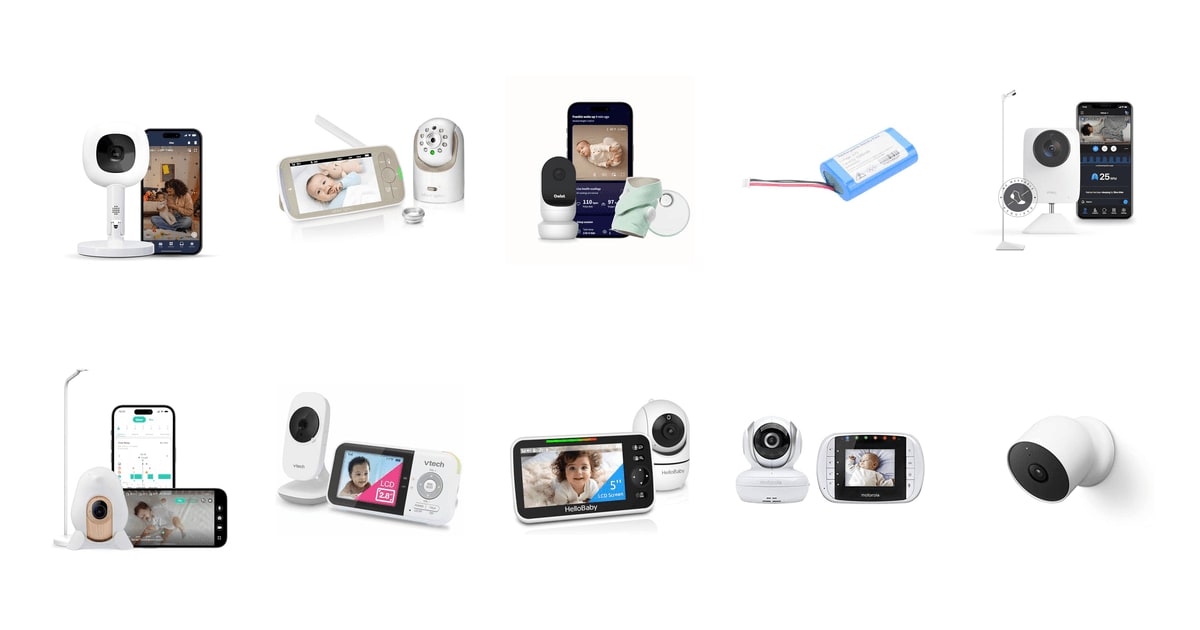
A baby monitor is one of the few gadgets you'll use every single night for years. What matters isn't the spec sheet. It's whether you can glance at a screen at 3 a.m. and go back to sleep without getting out of bed. That means a picture that's readable in the dark, audio that separates a whimper from a white noise machine, and a parent unit or app that doesn't drop out at the moment you need it. Everything else is a bonus.
Here's the honest part: no monitor in this guide keeps your baby safe. Safe sleep practices do that, and pediatric guidance doesn't recommend routine home breathing monitors for healthy, full-term babies. The breathing trackers here measure movement or oxygen, not risk, and they can add anxiety as easily as they subtract it. WiFi models stop working when your router does. Battery models need charging. Every one of these products asks you to accept a trade-off somewhere, and the marketing rarely says where.
So the real question is which kind of reassurance you want. Some parents want a screen on the nightstand and nothing at all on the network. Others want the phone, the sleep charts, and the alerts. We sorted this lineup by that split rather than by feature count. We think that the Infant Optics DXR-8 PRO is the best baby monitor for most people, and that the HelloBaby HB6550 is the one to buy if you want a longer-lasting parent unit and full remote pan and tilt.
Everything we recommend

Nothing to hack, nothing to subscribe to, clear night audio

A bigger battery and full remote pan, still no app required

The basics done well, with a battery that runs all night

Sleep data and phone access, if you'll actually use the numbers
How we picked
Night vision and audio. Nighttime is when you'll actually use a monitor, so we weighted published reviews and owner comments about low-light image quality and audio clarity over daytime specs. Invisible infrared and any kind of background noise filtering counted heavily.
Connection you can trust. We compared how each product transmits: encrypted closed-circuit radio to a parent unit, or WiFi to a phone app. Owner reports of dropped app connections and failed pairings mattered more here than the manufacturer's encryption claims.
Battery and range. We took manufacturer battery and range ratings as a starting point and checked them against what owners describe after months of nightly use. Anything under roughly 15 hours on the parent unit is hard to live with overnight.
Cost after the box. Several monitors here paywall their most interesting features. We noted which capabilities keep working with no subscription and which ones quietly stop, using the manufacturers' own feature breakdowns.
How they fail. Owner feedback is the best source for failure modes, so we looked for repeated themes rather than one-off complaints. Recurring app dropouts, false alerts, and batteries that fade after a year or two all shaped where products landed.
Top pick
Nothing to hack, nothing to subscribe to, clear night audio
Infant Optics DXR-8 PRO Video Baby Monitor
This is a closed-circuit monitor: the camera talks to one 5-inch parent unit and nothing else, with no app, no account, and no cloud. It filters out fans and sound machines, so a soft whimper actually reaches you instead of drowning in nursery hum.
$199.99fromAmazonIf you're mostly checking on your baby from inside your own house, a closed-circuit monitor is the simpler answer. The DXR-8 PRO's camera pairs to a single parent unit and refuses to pair with a second one. There's no account to create, no cloud storage, and no firmware you have to remember to patch. It also keeps working when your internet doesn't, which is the failure owners of WiFi cameras complain about most.
Most nurseries are noisy on purpose. A fan, a sound machine, an air purifier, the heat kicking on at 2 a.m. This monitor filters that steady background layer so what reaches the parent unit is mostly your baby. In practice you hear the first soft fussing instead of sleeping through it, and you're not listening to a full-volume sound machine all night just to catch a cry.
The controls are better than the resolution suggests. You can pan, tilt, and zoom from the parent unit without opening the nursery door. The lens also comes off, so you can swap the standard optic for a wide-angle or a zoom lens, both sold separately. Owners with toddlers who climb out of bed lean on this a lot — you can frame a whole bedroom instead of one corner of a crib.
Longevity is the quiet argument for this one. Owner feedback runs unusually long here, with families describing years of nightly use across more than one kid. Setup is close to nothing, too: the camera and screen typically arrive already paired, so you plug in and you're watching. For something you'll reach for half-asleep, that boring reliability counts for more than a feature list.
Flaws but not dealbreakers
The screen is 720p, and it looks it next to a 1080p or QHD WiFi camera. That's fine for confirming your baby is on her back and settled. It's not great if you want to zoom in on a face and read detail. You also can't check the feed from work, a hotel, or the backyard — the parent unit is the only window in, by design.
Batteries wear out. Owners who use it every night describe the parent unit's runtime falling off after a couple of years, so a replacement pack eventually becomes part of the deal. And the interchangeable lenses that make the system interesting aren't in the box, which blunts the pitch a little.
Runner-upOn sale
A bigger battery and full remote pan, still no app required
HelloBaby No WiFi Baby Monitor 5" Screen
The HB6550 gives you a 5-inch screen, a camera that swings 355 degrees from the parent unit, and a battery rated at 30 hours — all without WiFi. It's the non-WiFi monitor to get if you want to watch a whole room, not just a crib.
$59.99fromAmazonList priceBattery is the headline. HelloBaby rates the parent unit at 30 hours, and owner feedback backs up the general shape of that claim — people describe going a couple of nights between charges instead of hunting for a cable every morning. If the screen lives on your nightstand and stays on all night, that's the difference between a monitor you trust and one that's dead by dawn.
You get real camera movement here, which most non-WiFi monitors skip. The camera pans 355 degrees and tilts 120, all driven from the parent unit, so you can follow a toddler who's wandered to the far side of the room. Add 2x zoom, a room temperature readout, eight lullabies, and two-way talk. It's essentially the feature list of a pricier dedicated-display monitor, minus the interchangeable lenses.
The night vision uses invisible infrared, so there's no red glow hanging over the crib. That's a small thing until you have a baby who stirs at any light. Range is rated at 1,000 feet on an encrypted FHSS channel, which covers a normal two-story house with room left over. Owners who take it to grandparents' houses report it re-pairs without any fuss.
It also scales, which matters if your family isn't finished growing. You can run more than one camera into a single parent unit and cycle between rooms, and owners with two kids do exactly that. Buying a second camera later is a lot less painful than replacing the whole system.
Flaws but not dealbreakers
The image sensor is the compromise. Daytime video is clear enough to see what's going on, but set it next to a 1080p WiFi camera and it looks soft — owners tend to call the picture good rather than great. Volume control is coarser than it should be, too, with steps that jump from barely audible to loud enough to wake you.
VOX, the sound-activated mode, needs tuning before you rely on it. Set it too sensitive and a box fan keeps the screen lit all night. Set it too low and a soft cry doesn't trigger anything. Give it a few nights of adjustment before you trust it with a nap.
Budget pickOn sale
The basics done well, with a battery that runs all night
VTech VM819 Baby Monitor with Camera and
The VM819 does the essentials and skips everything else: encrypted video to a small parent unit, a temperature readout, two-way talk, and a battery rated at 19 hours. No app, no account, no ongoing cost of any kind.
$42.45fromAmazonList priceThis is the monitor to buy when you want the job done and nothing else attached to it. No WiFi, no app, no account, no subscription. The camera talks to the parent unit over an encrypted 2.4GHz channel and that's the entire system. Owner feedback here is unusually consistent and unusually long-running — families describe years of nightly use, travel included, on the same unit.
The battery is the surprise. VTech rates 19 hours of video on a charge, and owners describe leaving it off the charger through a long weekend at the grandparents' without trouble. Range is rated at 1,000 feet. You also get a nursery temperature readout right on the parent screen, two-way talk, infrared night vision, 2x zoom, and a couple of lullabies. For a monitor this plain, very little is actually missing.
It's the easiest thing here to hand to someone else. A grandparent, a sitter, a partner who doesn't want one more app — you plug in the camera, turn on the screen, and it's already paired. Nothing to configure, nothing to update, nothing that quits working because a password expired or a firmware update went sideways at midnight.
Flaws but not dealbreakers
The 2.8-inch screen is genuinely small. You'll see your baby's whole body in frame, but you won't pick out much detail, and the camera doesn't pan or tilt — you aim it once and that's your view for the next year. Some owners also find the night image darker than they'd like in a fully blacked-out room.
There's no clock on the parent unit, which sounds trivial until you're squinting at it at 4 a.m. and reaching for your phone anyway. If you plan to look at the screen constantly rather than mostly listen, step up to a 5-inch model.
Upgrade pick
Sleep data and phone access, if you'll actually use the numbers
Nanit Pro Smart Baby Monitor & Flex
Nanit hangs above the crib and takes in the whole thing in one 1080p frame, streaming to your phone from anywhere. Its real draw is the sleep reporting and the Breathing Band, which tracks breathing motion without a sensor on your baby's skin.
$249fromAmazonNanit approaches the nursery from overhead. The camera sits above the crib on the included Flex Stand and captures the whole thing in one 130-degree frame, so there's nothing to pan toward and no blind corner. Video is 1080p, and it goes to your phone rather than a dedicated screen. That means you can check in from the office, a restaurant, or the far end of a work trip.
The sleep data is the actual product here. Nanit logs how long your baby slept, when she woke, and how often someone went in. Pair it with the Breathing Band — a small fabric wrap the camera reads visually — and you get breathing motion tracking with nothing electronic touching your baby. If you're the sort of parent who moves nap times based on patterns, this gives you something concrete to move them with.
It travels better than anything else in this guide. The Flex Stand collapses, the camera is light, and you never have to put a hole in a wall. Setting up in a hotel room or a relative's spare bedroom takes a couple of minutes. You can also add other caregivers with their own logins and controlled access, so a grandparent can watch without borrowing your phone.
The security plumbing is more deliberate than the category average. Nanit uses 256-bit AES encryption and two-factor authentication, and the feed works on Echo Show and Google Home displays. That isn't the same as being off the network entirely, and no connected camera can promise that. But if you've decided you want a WiFi monitor, this is a reasonable place to put that trust.
Flaws but not dealbreakers
The subscription is the catch, and it's a real one. The live feed stays free, but the sleep reports, breathing history, and trend graphs — the things that separate Nanit from a webcam — sit behind a paid tier. Treat that as part of the purchase rather than an optional add-on, because without it you've bought a very nice camera and not much else.
It's also entirely app-dependent. There's no parent unit to glance at, so every check means unlocking your phone, and monitoring pauses when your router drops. And the Breathing Band means something does go on your baby, which isn't the same as the contact-free radar approach some competitors sell.
Who this is for
This guide is for parents buying their first monitor, or replacing one that's failed them. If you mostly watch from inside your own home, a closed-circuit monitor with its own screen will make you happier than an app, and it'll keep working during an outage. If you're regularly away and want to check in from a phone, or you want sleep data you can act on, a WiFi model earns its complexity. Both camps are covered here.
It's not for you if you're shopping for a medical device. Home monitors that read oxygen or breathing are consumer products, and pediatric guidance still points to safe sleep practices as the thing that matters. If your baby was premature or has a documented heart or breathing condition, talk to your pediatrician before you buy anything in this category — they may recommend something different, or nothing at all. We also stuck to nursery monitors, so security cameras, audio-only baby phones, and monitor accessories are outside the scope.
How we picked
We built this guide from spec sheets, published reviews, and recurring themes in owner feedback. Night performance: low-light image quality and whether audio separates a cry from a fan matter more than daytime resolution. Connection: we compared closed-circuit radio against WiFi apps, and gave weight to how often owners report drops and pairing trouble. Battery and range: manufacturer figures checked against what long-term owners describe, with roughly 15 hours on the parent unit as a floor. Cost after the box: which features keep working with no subscription and which quietly stop. Failure modes: repeated owner complaints — false alerts, fading batteries, app dropouts — counted more than any single bad experience.
Other baby monitors worth considering
If you want oxygen and heart rate, not just movement: The Owlet Dream Duo ($399) — The Owlet Dream Duo pairs an HD camera with the FDA-cleared Dream Sock, which reads pulse rate and blood oxygen from your baby's foot the way a clinical pulse oximeter does. Nothing else here measures physiology directly, and for families coming home from the NICU that distinction is the whole point. It's the priciest setup in this guide, though, and the trade-offs are real: the sock charges nightly and has to stay positioned on a squirming baby, the camera setup trips people up on modern routers, and owners report the base station calling out that the sock is too far away when it isn't. Full trend history needs a subscription, and it's intended only for healthy infants between one and eighteen months.
If you want a breathing alarm with nothing on your baby and nothing on your network: The Babysense 7 Baby Sleep Breathing Movement Monitor ($99.99) — The Babysense 7 is two thin pads that slide under the crib mattress and sound an alarm if they detect no movement for 20 seconds, or if the rate drops below ten micro-movements a minute. No wearable, no WiFi, no app, no account — and it's HSA and FSA eligible, which is rare in this category. Understand what it isn't: there's no camera and no screen, so it's a companion to a video monitor rather than a replacement. Placement takes patience with a thick or heavily padded mattress, and a pad that shifts can wake you for nothing.
If you want breathing tracking with no wearable at all: The Miku Pro Smart Baby Monitor with Camera ($249) — The Miku Pro uses radar to read breathing motion through blankets and stuffed animals, in any sleep position, with nothing on your baby and nothing under the mattress. That's the most convenient version of breathing monitoring on offer, and the 1080p video and included wall mount and floor stand make for a tidy package. But it's radar-detected movement, not oxygen or heart rate, so don't read it as a substitute for the Owlet. Owner feedback also splits sharply: some families love it, while others describe the app dropping the connection or the camera refusing to finish its first update. Full analytics need a paid membership, and everything pauses when your router does.
The competition
These are the other monitors this research surfaced, not a map of everything on the market. Each one lost to a pick for a specific reason, and each one is still the right answer for somebody.
The CuboAi New Model Smart Baby Monitor 3: ($299) — The CuboAi Smart Baby Monitor 3 does something no other monitor here attempts: its AI watches for a covered face or a rollover and alerts you directly. The 2.5K video is the sharpest in this lineup, and the automatic height tracking, humidity sensor, night light, and scheduled lullabies are genuinely thoughtful. It didn't make the picks because owner feedback is polarized in the way you don't want from a baby monitor — recurring reports of dropped connections, alert spam that can't be narrowed to the ones that matter, and a temperature reading people don't trust. A one-year warranty is included. If AI safety alerts are the reason you're shopping, it's still the only game here, but go in knowing the connection may frustrate you.
The Google Nest Cam Outdoor or Indoor ($165) — The Google Nest Cam (Outdoor or Indoor, Battery, 2nd Generation) is a very good security camera pointed at a crib. You get 1080p HDR with night vision, AI that distinguishes a person from a pet, three hours of event history with no subscription, and up to an hour of local recording when WiFi drops. If your house already runs on Google Home, adding one fewer app has real appeal. It lost because it isn't a baby monitor: no nursery temperature sensor, no lullabies, no sound-activated mode, and no parent unit for the nightstand. The battery version also needs recharging, which is one more thing to remember.
The motorola MBP33S Wireless Video Baby Monitor with ($16.99) — The Motorola MBP33S is an older non-WiFi monitor with a 2.8-inch color screen, 720p video, infrared night vision, remote zoom, a temperature readout, and five lullabies over an encrypted 2.4GHz link. It works, and it comes from a brand plenty of parents already know. But it's outclassed by the VTech VM819 on the things that matter overnight — battery life and usable range — for a small step up. Choose it only if it lands well below the VTech and you need something functional right now.
Setup and placement
Mount or stand the camera so it sees the whole crib, not just a face, and keep the cord well out of reach — that's the safety detail people miss. Aim for a spot high enough that a standing toddler can't grab the camera. For non-WiFi monitors, walk the house before your baby comes home and find the spots where the signal stutters; thick walls and old plaster cut real range far below the rating. For WiFi models, put the camera on your 2.4GHz band if setup keeps failing, since that trips up more people than any other step. Charge the parent unit during the day rather than overnight, and if you use a sound-activated mode, spend a few nights tuning the sensitivity before you count on it.
Questions we get
Are WiFi baby monitors safe from hackers?
Reputable WiFi monitors with strong encryption and two-factor authentication are hard to compromise, but no internet-connected camera is structurally immune. If you go WiFi, use a unique router password, keep the firmware current, and turn on two-factor authentication in the app. A closed-circuit monitor like the Infant Optics DXR-8 PRO or the VTech VM819 sidesteps the question entirely, because the video never touches a network.
Do I need a breathing monitor, or is video enough?
For most healthy, full-term babies, a plain video monitor is enough. Pediatric guidance points to safe sleep practices — back sleeping, a firm mattress, nothing loose in the crib — rather than electronic monitors as the way to reduce risk. Breathing monitors add data and, for some parents, real reassurance, especially with a premature baby or a documented condition. Talk to your pediatrician before you buy one.
What's the difference between the Owlet sock and a radar monitor like the Miku?
They measure different things. The Owlet Dream Sock uses pulse oximetry to read blood oxygen and heart rate through your baby's skin, the same principle hospital monitors use. The Miku Pro uses radar to detect micro-movements consistent with breathing, with nothing touching your baby. The Owlet is closer to a physiological reading; the Miku is far more convenient, since there's nothing to charge, fit, or reposition.
How much range do I actually need?
Less than the box claims, and less than you'd think. Rated ranges assume open air with no walls, so real-world reach through floors and plaster is a fraction of the number. For an apartment or a single-story house, a few hundred feet of usable range covers you. For a two-story home or thick construction, look for a 1,000-foot rating and test the far corners before you rely on it.
How long will I actually use a baby monitor?
Most parents use one heavily from birth through about age two or three, then taper into casual room awareness for another year or two. That's worth remembering when a monitor's best features depend on a monthly fee — assume a two- to three-year window and do the math on the total. A monitor that keeps working with no subscription tends to age better.
Why you should trust us
For this guide:
- We read manufacturer spec sheets and feature breakdowns for every monitor in this lineup, then compared what each brand claims about resolution, range, battery life, and encryption.
- We reviewed published coverage of the category alongside recurring themes in owner feedback, paying particular attention to complaints that repeat across many households rather than isolated bad units.
- We did not use, install, or measure any of these monitors ourselves, and nothing in this guide is written as a first-hand observation.
- We read owner reviews on every listing, weighted toward the critical ones, because that is where the recurring failures show up.
- We have a systematic way of automatically fetching the latest prices, so the numbers on this page stay current.
- This is a research-focused guide, so the team may not own every product listed — though we often do own the top winners, which gives us extra context for the recommendations.
- We don't accept free products, and the retailer commission never changes which product we recommend.
Sources
Best Baby Monitors of 2026 — Wirecutter, Wirecutter / NYT
Best Baby Monitors — BabyGearLab, BabyGearLab
Best Baby Monitors of 2026 — What to Expect, What to Expect
Baby Monitor Reviews and Ratings — Consumer Reports, Consumer Reports
Best Baby Monitors — Good Housekeeping, Good Housekeeping
Amazon product listings and owner reviews for all 11 products
Manufacturer specification pages for each product
Some passages in this guide may be paraphrased with AI help. Prices are refreshed automatically.
More like this.
Continue exploring home reviews and recommendations.

The Best Essential Oil Diffusers
A diffuser does one small job, and it does it in the room where you sleep, work or unwind. That means the details you'd normally shrug off start to…

The Best Gutter Downspout Extensions
Water that lands on your roof has to go somewhere, and a downspout that dumps it at the base of the wall sends it straight into the soil against your…

The Best Window Insulation Kits and Draft Stoppers
A drafty house doesn't announce itself. You just notice that the room with the big window stays cold no matter how high you set the thermostat, or that…

The Best Leaf Blower Vacuum Mulchers
Raking leaves is slow, and hauling them is worse. A 3-in-1 blower vacuum does three jobs with one motor: it pushes leaves into a pile, sucks them up, and…

The Best Hurricane Prep Gear
The power goes out first. Then your phone dies, the fridge warms up, and the tap water may or may not be safe to drink. A hurricane kit isn't about…

The Best Wet Tile Saws
Cutting tile is the part of a tile job that decides how the finished wall looks. Every outlet, every doorway, every corner needs a cut piece, and a…